
Campaign creation

Start from a URL. Publish a real campaign.

Optimyzee researches your market like a PPC strategist, structures the account the way an experienced buyer would, and hands you a campaign to approve - not a black box to trust blindly.

Create a campaign See the process
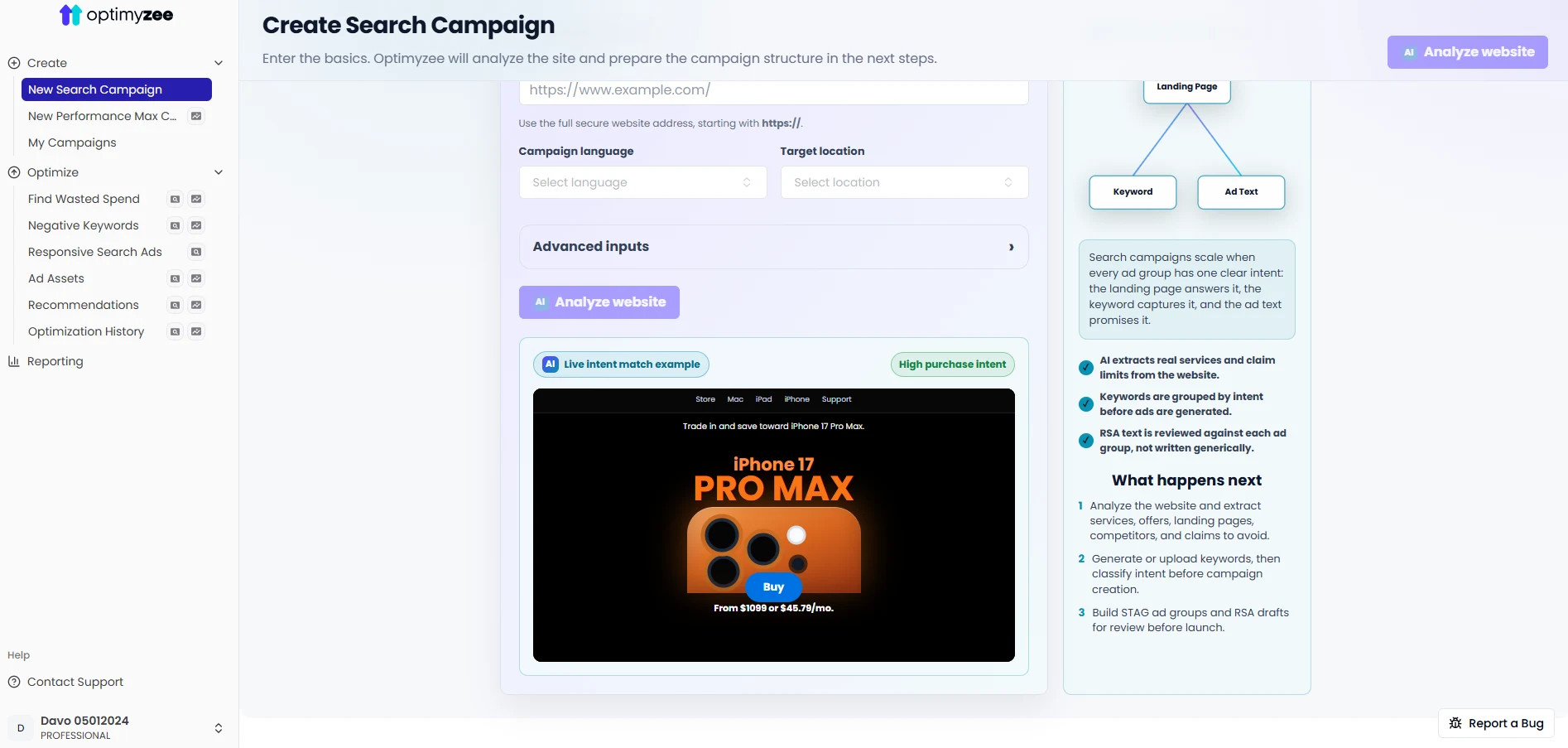
Create Search Campaign - Optimyzee
The research

Everything starts with understanding your business, not your keyword list.

Before a single keyword is picked, Optimyzee builds a picture of what you sell, who else sells it, and how people search for it.

STEP 1
Website analysis
Reads your site to identify your niche, offering and target categories.
STEP 2
Competitor mapping
Finds who you're actually competing with in Search - not who you assume.
STEP 3
Keyword seed
Generates a starting seed list grounded in your categories and competitors.
STEP 4
Full keyword research
Expands the seed into complete research, then classifies every keyword by intent, brand and competitor brand.
AI does the work. You approve it.

Automation without giving up control.

Research, structure and copywriting are fully automated - the parts that take a strategist hours and are easy to get consistently right with the right data.

Nothing reaches your Google Ads account without your review. Every keyword, ad group and ad is editable before publish - Optimyzee proposes, you decide.

AI
Research, structure, copy
Niche detection, keyword research, STAG grouping, RSA writing
YOU
Review and approval
Edit keywords, ad copy and settings before anything is live
AI
Publish
Pushes approved changes directly into your Google Ads account
Structure

Why Optimyzee builds STAG, not SKAG.

SKAG (Single Keyword Ad Group) used to be the standard when exact match was strict and Quality Score rewarded keyword-to-ad text matching almost literally. Modern Search - with close-variant matching and RSAs - changed the math.

SKAG

One keyword per ad group
Account bloats fast - hundreds of near-duplicate ad groups
Traffic and RSA learning data fragmented across too many groups
Heavy ongoing maintenance to keep in sync

STAG - what we build

Single Theme Ad Group
+Tightly related keywords grouped by intent, not split one-by-one
+Enough volume per ad group for RSAs to learn and optimize
+A structure that scales to hundreds of ad groups without collapsing under upkeep
Defaults

Campaign settings we start every account with.

Sensible defaults based on what tends to work at launch - every setting stays editable before you publish.

Network
Search Network only - no Display expansion diluting Search intent.
Match types
Phrase and exact match by default, with broad match reserved for discovery ad groups.
Bidding
Manual or Maximize Clicks at launch, moving to Target CPA once conversion data builds up.
Negatives
A starter negative list from research - irrelevant intent excluded before spend starts.
Location & language
Set from your site and business details, targeting people in your area, not just searching about it.
Ad rotation & assets
RSAs with generated headlines and descriptions per ad group, optimized rotation.
Once it's live

Launching is step one. Keeping it clean is ongoing.

Four tools take the campaign from "published" to "continuously optimized."
ST
Search terms
Classify 300 real queries, add negatives or keywords
RSA
RSA optimization
Fix missing or underperforming ads
NEG
Negatives generator
Cut wasted spend proactively
AST
Assets generator
Sitelinks, callouts, snippets and more

Launch your first STAG campaign today.

Free to start. No credit card required.

Get started free