Build it right. Then keep it clean.
Search, Performance Max and Shopping campaigns created from your website and product feed - then continuously cleaned of the waste that builds up in every live account. Native Shopify and WooCommerce apps included.
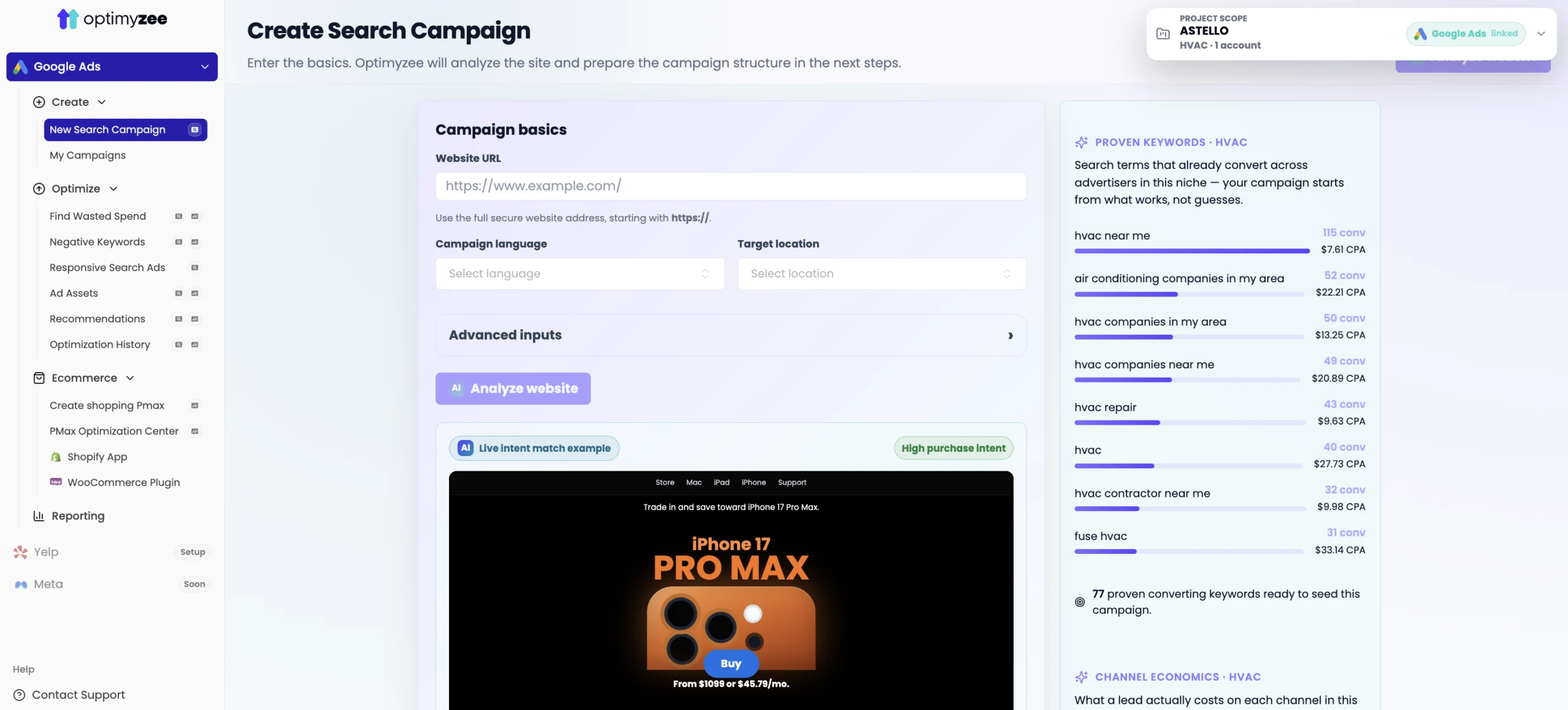
From a URL to a structured, publishable campaign.
No keyword list to prepare, no ad group plan to draw up. Optimyzee researches the market, structures the account and writes the ads - you approve what goes live.
Website and competitor analysis, keyword research, classification by intent and brand, single-theme ad groups with generated RSAs - published straight into your Google Ads account.
The full process, STAG vs SKAG, our settingsMerchant Center feed and website analyzed, product categories generated, asset groups proposed with texts, images, audience signals and logos - for retail or lead generation.
Explore Performance MaxLaunching is day one. Waste starts on day two.
Each tool works on Search and Performance Max, tells you when it's worth running again, and never changes the account without your approval.
Up to 300 real search terms from the last 30–60 days, classified into negatives, observe, new keywords, brand and competitor brand - for Search and PMax alike.
Generates new negatives from your search terms and Keyword Planner - catching waste before it reaches your reports.
Finds ad groups with no active RSA or a poor performer, then generates replacements for your review.
Sitelinks, callouts, structured snippets, call and promotion assets - generated from your campaign, not a template.
A running feed of negatives worth adding, surfaced automatically between full optimization runs.
Every cleanup logged per campaign, with suggestions on when to repeat each one so nothing goes stale.
Shopping campaigns straight from your store.
Install the app on Shopify or the plugin on WooCommerce and your catalog becomes the input - Optimyzee handles the campaign structure around it.
Product categories generated from your feed, asset groups mapped to them, texts and images written per group - a retail PMax campaign built the way a specialist would structure it.
Search-term visibility, negatives and asset-group review for live PMax campaigns - the part Google's interface keeps mostly closed.
Create, optimize, ecommerce and reporting in one place.
Everything sits in a single workspace next to your Yelp accounts - campaign creation, all six optimization tools, ecommerce integrations and reporting.