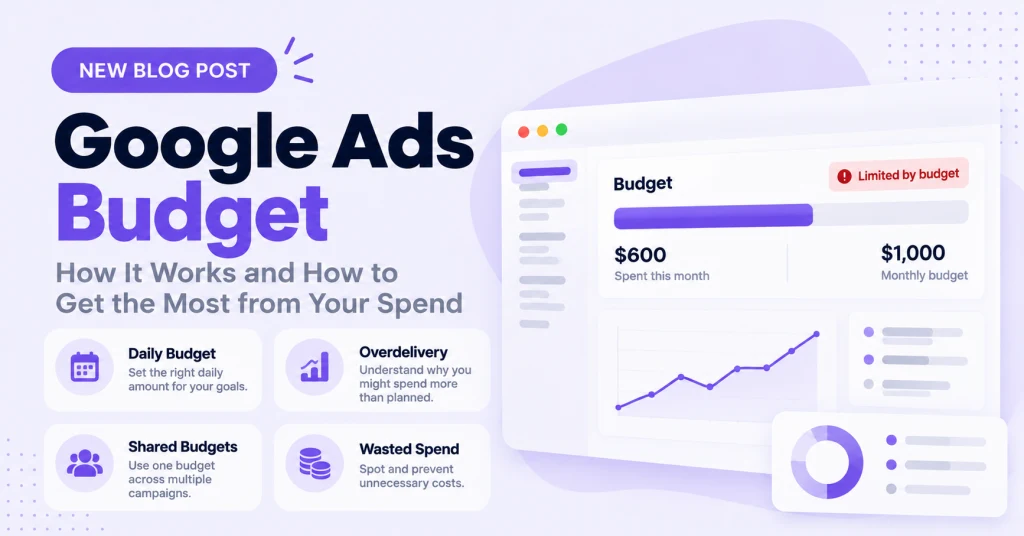
Quick answer: A Google Ads budget is the average amount you are willing to spend per day on a campaign. Google can spend up to twice that on a busy day, but it will never charge you more than 30.4 times your daily budget in a month. There is no universal right amount to spend. The most reliable way to set a Google Ads budget is to work backwards: decide how many leads or sales you need, divide by your conversion rate to find the clicks required, then multiply by your cost per click.
What is a Google Ads budget?
Your Google Ads budget is the average daily amount you set for each campaign. You can change it whenever you like, and it controls how much a campaign can accrue in costs from day to day.
Two details trip up most new advertisers. The budget is set per campaign, not per account, and it is an average, not a hard daily cap. That second point is what the next section explains.
How Google spends your budget
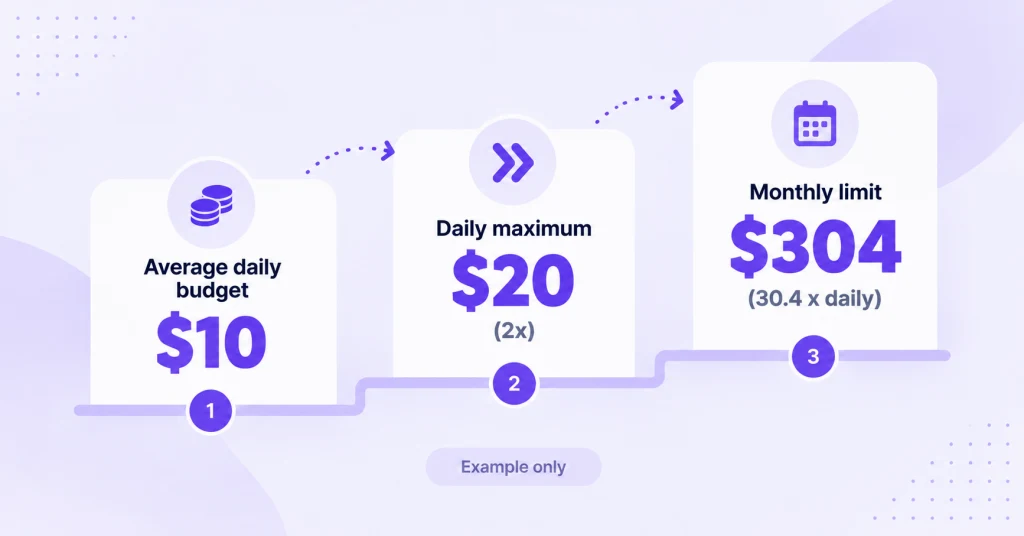
Traffic changes from day to day, so Google may spend more than your average daily budget on a busy day to make up for quiet ones. This is called overdelivery. Two limits keep it under control:
- Daily limit: on any single day, a campaign can spend up to twice its average daily budget.
- Monthly limit: over a billing month, you are never charged more than your average daily budget multiplied by 30.4, the average number of days in a month.
For example, with a $10 daily budget, a single day can reach $20, but the most you can be charged in a month is $304. If overdelivery pushes the total higher than that, Google covers the difference rather than billing you for it.
The practical takeaway is to judge your spend over the month, not day by day. A $10 budget that spends $17 on Tuesday and $4 on Wednesday is working as designed.
How much to spend on Google Ads
There is no correct number that applies to everyone. What you should spend on Google Ads depends on how many customers you need, how many clicks it takes to win one, and what each click costs in your market. Copying a figure from a blog post tells you very little about your own account.
Work backwards instead:
- Set a goal. Decide how many leads or sales you want per month.
- Estimate your conversion rate. Use your own data if you have it. If you are starting from scratch, treat the first month as a test that produces a real number.
- Work out the clicks you need. Divide your goal by your conversion rate.
- Estimate your cost per click. Check Google’s Keyword Planner for your keywords, or use your own account history.
- Multiply. Clicks needed multiplied by cost per click gives your monthly budget. Divide by 30.4 for the daily figure to enter in Google Ads.
A worked example
These numbers are an illustration, not a benchmark. Suppose you want 20 leads a month and expect a 5% conversion rate. That means you need 400 clicks (20 divided by 0.05). If each click costs $3, your monthly budget is $1,200, which works out to a daily budget of about $39.
Sanity-check it against your margins
A budget only makes sense if the cost per customer stays below what a customer is worth. If a customer is worth $500 to you and you want at least a 3:1 return, your maximum cost per customer is about $167.
In the example above, $1,200 for 20 leads is $60 per lead. If only one lead in four becomes a customer, each customer costs $240, which is above that ceiling. The fix is to improve your conversion rate or lower your cost per click before you scale spend, not to increase the budget. Our guide to conversion rate optimisation for Google Ads covers the first option.
Daily budgets, monthly budgets, and shared budgets
Google Ads is built around the average daily budget. If you think in monthly terms, multiply the daily figure by 30.4 to see your monthly limit.
A shared budget is a single average daily budget that several campaigns draw from. Money that one campaign does not use can move automatically to a campaign that is running short, which reduces the number of campaigns limited by budget. Google recommends pairing shared budgets with portfolio bidding. Shared budgets are available on Search, Shopping, Display, and Video campaigns, but not on Performance Max or App campaigns.
Use a shared budget when campaigns have similar goals and you want Google to move money to wherever it performs best. Use individual budgets when you need to guarantee a fixed amount to a specific campaign.
How your budget interacts with bidding
Your budget and your bid strategy work together. With automated bidding, Google adjusts bids to get the most out of your budget, so a budget that is too small for your targets can force the system to hold back.
Smart Bidding strategies such as Target CPA also need conversion data to work well. Many practitioners use roughly 30 conversions a month per campaign as a rule of thumb before switching to a CPA target. It is a guideline rather than a Google requirement. If your budget cannot generate that many conversions, start with a strategy that builds data first. Our guide to manual vs automated bidding strategies explains how to choose.
What “limited by budget” means
“Limited by budget” is a status in your campaigns table. It means your average daily budget is lower than the recommended amount to capture all available impressions and clicks for your current settings. To stop the budget running out early, Google Ads shows your ads less often.
It is not automatically a problem. A campaign that is limited by budget can still meet your goals. It becomes one when the campaign is profitable and you are leaving good traffic on the table.
To investigate:
- Filter your campaigns by the “Limited by budget” status.
- Check the budget recommendation and the budget simulator to see how much extra exposure a higher budget could bring.
- Raise the budget only for campaigns that are hitting your cost per acquisition or return on ad spend targets.
Google has also updated how its bidding systems handle campaigns that are limited by budget and use target-based bid strategies, with the change starting on 17 August 2026. Google advises reviewing these campaigns, particularly the ones performing better than your current targets. Significant changes such as a budget increase can also put a campaign into a learning period, so raise budgets in steps rather than all at once.
Where your Google Ads budget gets wasted
A budget that is the right size can still underperform if a share of it goes to the wrong clicks. The usual culprits are:
- Irrelevant search terms: queries about jobs, free alternatives, or unrelated products that trigger your ads. Review them in the search terms report and block them with negative keywords.
- Broken conversion tracking: if conversions are not recorded correctly, bidding and budget decisions rest on bad data. See our guide to Google Ads conversion tracking.
- Spreading a small budget too thin: several campaigns each too small to gather data usually perform worse than one or two well-funded ones.
Spotting wasted spend by hand means reading through long search term lists. Optimyzee’s Find Wasted Spend feature automates that review across Search and Performance Max, flagging queries with spend and clicks but no meaningful conversion intent, and turning them into negative keyword recommendations you approve. For a wider look at cutting waste, see our guide to reducing PPC costs.
Common Google Ads budget mistakes
- Setting a budget from a round number rather than from goals, conversion rate, and cost per click.
- Expecting spend to be identical every day, then worrying when it is not.
- Raising the budget on a campaign with a rising cost per acquisition instead of fixing the cause first.
- Making large budget jumps that reset learning, instead of scaling gradually.
- Judging a campaign on clicks and spend without checking conversion data.
For more on the mistakes that cost money, read our guide to what not to do in Google Ads.
FAQ
How much should a beginner spend on Google Ads?
Enough to collect meaningful data. The right amount depends on your cost per click and conversion rate, so use the working-backwards method above rather than a generic figure. A budget that is too small to generate any conversions teaches you very little.
Can Google spend more than my daily budget?
Yes, on a given day it can spend up to twice your average daily budget. Over a month, you will not be charged more than your daily budget multiplied by 30.4.
Can I set a monthly budget in Google Ads?
Google Ads is built around an average daily budget. To plan monthly, divide your monthly figure by 30.4 to get the daily amount, and remember that the monthly limit is your daily budget multiplied by 30.4.
Should I use a shared budget?
Use one when several campaigns share similar goals and you want unused budget to flow to the campaign that can use it. Avoid it when a specific campaign needs a guaranteed amount, and note that Performance Max campaigns cannot use shared budgets.
What should I do if my campaign is limited by budget?
Check whether the campaign is profitable first. If it is hitting your targets, raise the budget gradually. If it is not, fix targeting, search terms, or conversion tracking before adding more money.
Sources
- Google Ads Help: Manage your spend in Google Ads
- Google Ads Help: About spending limits
- Google Ads Help: About shared budgets
- Google Ads Help: Fix “Limited by budget” bid adjustments
- Top Growth Marketing: How Much Should You Spend on Google Ads?